
Android build 3.4.1
FairPlay App — Official v3.4.1 Build to Open the Odds Board From Your Pocket
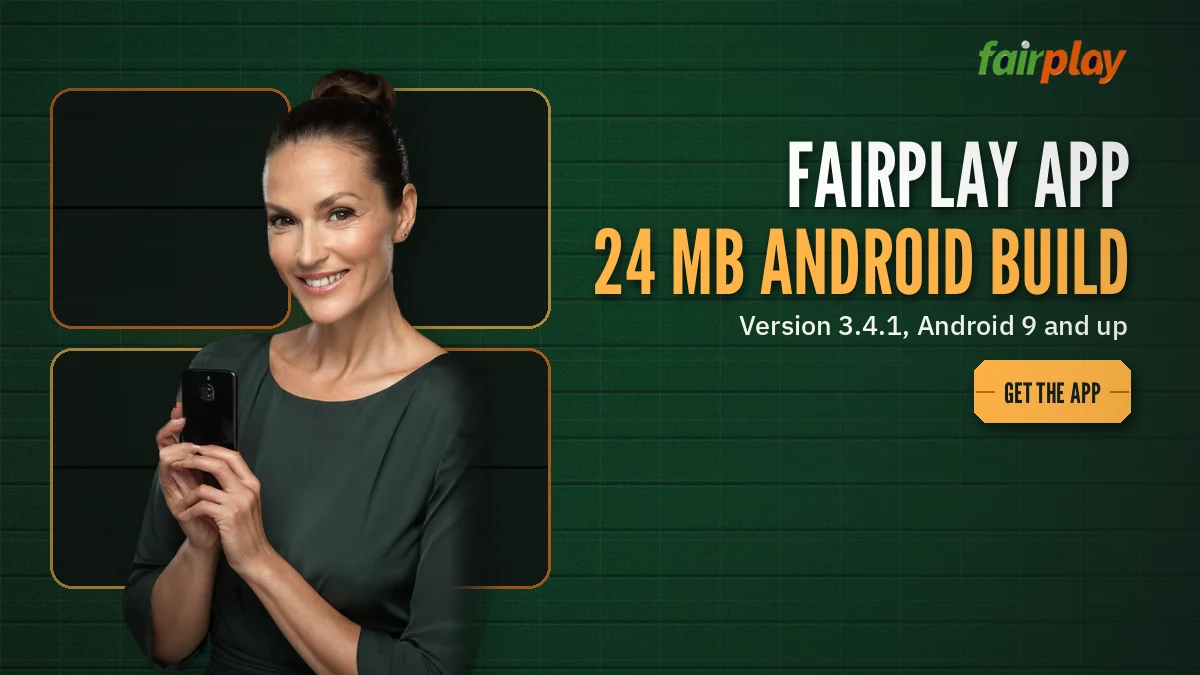
Bet from your phone with the FairPlay app, build 3.4.1: 24 MB on Android 9 or newer, signing in with the ID and password you already use. No Android? iPhone owners pin a Safari icon. Expect a fresh build roughly every five weeks, installed over the old one.
FairPlay App Build Sheet — Real Size, Version and Phone Floor
Four numbers decide whether the FairPlay app will even open on your handset. Size, version, minimum Android, refresh rhythm. Everything else on this page hangs off those.
- File type
- An Android package (.apk) installed outside the Play Store, so your phone treats it as a manual install.
- Download weight
- 24 MB. On a 4G connection that is usually under a minute; on a patchy signal at a stadium gate, give it longer.
- Version on the file
- 3.4.1 is the one to have today. Anything older still opens, probably, but you lose whatever the latest refresh fixed.
- Minimum Android
- Android 9 (the release Google called Pie) or anything after it.
- Refresh cadence
- About every five weeks a new FairPlay build replaces the old one.
- iPhone
- Handled lower down, beside the comparison table. Nothing to download there, nothing to update.
- Sign-in
- Same FairPlay ID, same password, same balance as the browser.
What 24 MB tells you about the FairPlay app
A 24 MB package is small for anything that shows live prices. Many everyday shopping apps are several times heavier. The low weight hints at how the FairPlay build is put together: it is a lean shell around the same board the website serves, not a separate product with its own heavy graphics library baked in. That matters on a phone that is already full of WhatsApp videos, because a light file is far less likely to stall halfway with the phone complaining it is out of room.
Download size and installed size are not the same thing, though. Once you open the FairPlay app a few times it builds a cache of team logos, game thumbnails and so on, and the footprint under Settings will creep past 24 MB. How far past is hard to say; it depends on how much of the casino side you browse. Emptying the cached files from the Android app-info screen brings it back down without logging you out of FairPlay.
Reading the version number 3.4.1
Most Android builds follow a three-part pattern, and the FairPlay app looks like it does too. The first digit moves for large rewrites. The middle one moves when screens or features change. The last one, the 1 in 3.4.1, normally marks a small patch on top of 3.4. We cannot promise FairPlay numbers its builds by that exact textbook rule, so treat this as a reading aid rather than a release note.
Quick self-check: on your phone go to Settings, then Apps, then FairPlay, and look near the bottom for the version line. If it does not say 3.4.1, a newer file is waiting on the FairPlay download page.
Why the floor is Android 9
Android 9 shipped in 2018. Phones that never got past Android 8 are now old enough that most app makers have dropped them, and the FairPlay build has drawn its line at the same place. In practice this rules out very few handsets bought in India in the last five or six years. If you are on a hand-me-down Redmi or an old Samsung J-series, though, check the Android version under Settings, About phone, before you spend data on the download.
What happens if you try anyway? Usually a parse error the moment you tap the file. Nothing gets installed, nothing breaks, and nothing on your FairPlay account changes. The phone simply refuses to read a package written for a newer system, and the browser route on the same phone keeps working exactly as before.
FairPlay Application Permissions — A Clear Read of the Install Prompt
Because the FairPlay application arrives as an APK and not through the Play Store, Android puts a couple of extra screens in front of you. None of them are a fault. They are the phone doing it's job, and knowing which screen means what saves the panicky back-button tapping that usually follows.
- Install unknown apps. Since Android 8, permission to install from outside the store is given per app. If Chrome fetched the FairPlay file, Chrome is what needs the switch turned on, once. You can turn it off again afterwards and the installed FairPlay app keeps running.
- Play Protect notice. Because 3.4.1 goes on by hand, Google's scanner may label it unscanned or from an unknown developer. Every hand-installed file gets that box; FairPlay is not being singled out. The install-anyway option carries on.
- Notifications. On Android 13 and later the FairPlay app will probably ask, at first launch, whether it may send notifications. Saying no does not stop the odds board or your wallet from working; you just do not get pinged.
- Network access. An odds board without internet is a blank screen, so this one is a given. Android grants it automatically and does not show a prompt.
The full click-by-click route, from tapping the link to the first launch, lives on the FairPlay app download steps page, so it is not repeated here. This section is about recognising the prompts, not walking every tap.
Permissions the FairPlay build has no reason to want
Think about what the app actually does: shows prices, takes a stake, shows your balance, lets you reach the account area. That needs the internet and, optionally, notifications. It does not need your contacts, your SMS inbox, your call log or your microphone. If an install screen claiming to be FairPlay asks for any of those, the file did not come from the right place. Delete it, then fetch the build again from the download page and compare the size; the genuine one is 24 MB, not 6 and not 80.
A size check sounds crude. It works surprisingly well, mind you, because repackaged copies almost never match the original weight to the megabyte.
What sits inside the FairPlay app once it opens
Nothing on the board is rebuilt for the APK. Whatever FairPlay lists in Chrome today, from cricket markets to casino rooms to FairPlay Aviator rounds, build 3.4.1 lists as well, because both read from one source. That is also why the file can stay at 24 MB: it carries the frame and the content streams in. Your money side lives behind My FairPlay account area, by the same menu path.
Because the app and the website share one back end, a bet placed on the phone shows up in the browser history and the reverse. There is no separate app wallet to top up and no transfer between the two. One FairPlay ID, one balance, two doors into it. People ask this constantly, so it bears repeating: installing the app does not create a second account.
FairPlay App Updates Every Five Weeks — Staying Current Fast
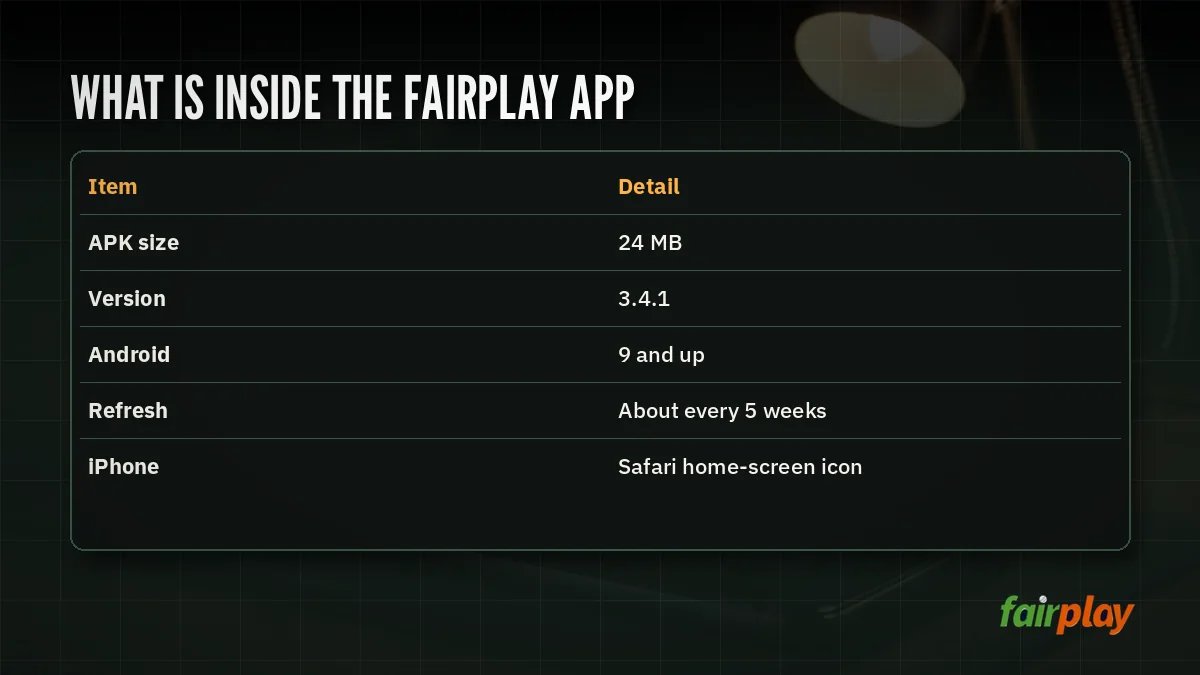
Roughly every five weeks a new FairPlay build replaces the last one. Over a year that comes to about ten files, give or take. Most of them change little you will notice.
Since the APK does not come from the Play Store, nothing updates itself in the background the way WhatsApp or YouTube do. Somebody has to put the new file on the phone, and that somebody is you. Skip a couple of rounds and you might be three versions behind without knowing it, which is mostly harmless until the day a market screen behaves oddly and the fix was in a build you never installed.
How to put a new FairPlay build over the old one
Download the newer file and tap it while the the old FairPlay app is still installed. Android recognises it as the same app from the same publisher and offers to update rather than install fresh. Your saved sign-in usually survives this, and so does the cache. Uninstalling first works too, but then you will be typing your user ID and password again on first launch, which is a small nuisance more than a problem.
One thing to avoid: having two different copies sitting in your Downloads folder and tapping the wrong one. File names can look nearly identical. Check the version on the install screen, or simply delete the old file once the new FairPlay build is on.
A typical version mix-up
Picture a player in Nagpur whose FairPlay app stops showing a particular cricket market, while his wife's phone shows it fine. Same account type, same Wi-Fi. His phone is still on a build from two refreshes back; hers went on the week before. He puts 3.4.1 on top, the market comes back, and the whole fix takes less time then making tea.
Not every glitch is a version problem, of course. But checking the version first is the cheapest step, and it rules out the most common cause in seconds.
| Item | After installing a newer build |
|---|---|
| FairPlay ID and password | Unchanged; they live on the account, not the phone |
| Wallet balance | Unchanged; same balance as the website |
| Bet history and statement | Unchanged; pulled fresh from the server |
| Saved sign-in on this phone | Usually kept when you install over the top |
| Cached images | Kept, then refreshed as screens load |
| Version line in Settings | Shows the new number, for example 3.4.1 |
When the FairPlay app will not open after an update
Rare, but it happens. Force-stop the app from its Android info screen and open it again. If that fails, empty the cached files (leave the app data alone) and retry. Still stuck? Uninstall, reinstall the 24 MB file, sign in once more. If your password is the thing refusing, that is an account issue rather than an app one, and the FairPlay password reset route handles it without touching the build at all.
Moving the FairPlay app to a new phone
New handset? There is nothing to back up. Your FairPlay balance, bet history and settings sit on the account, so the old phone holds no data you would lose by wiping it.
- Confirm the new phone runs Android 9 or later. Most phones sold in the last few years do, but a budget model can surprise you.
- Fetch the current 24 MB file on the new phone itself rather than forwarding an old copy over WhatsApp, which may well be a build or two behind.
- Install, open, and sign in with the same FairPlay user ID and password.
- Uninstall the FairPlay app from the old phone if someone else in the house will be using it.
That last step gets skipped a lot. A saved sign-in on a phone you have handed to your younger brother is an open door to your wallet, and it takes ten seconds to close.
Checking the file before you tap it
Open your Files or Downloads app and long-press the FairPlay file to see its details. Two things to look at. The size should read 24 MB, or very close to it, and the download should show as finished rather than paused. A file that stopped partway will not install no matter how many times you tap it; delete it and fetch it again on a steadier connection.
FairPlay Betting App, Browser or iPhone Icon — Best Fit by Phone
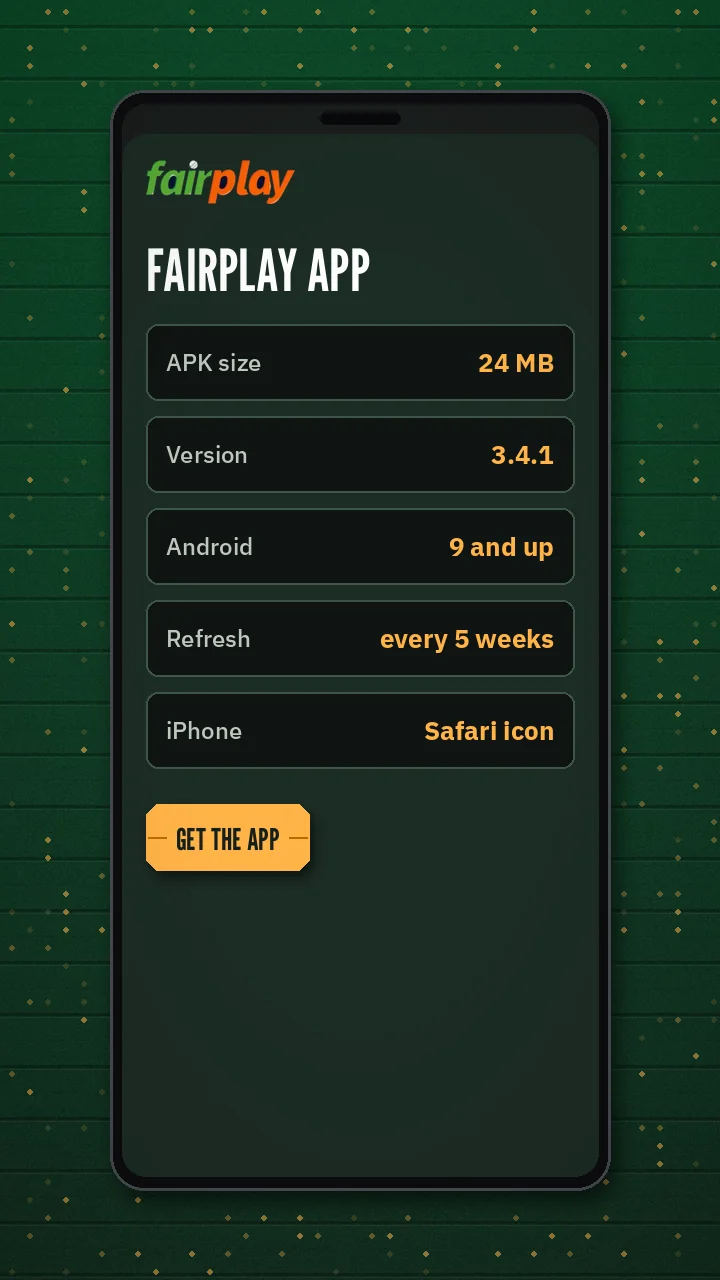
Three ways onto the same FairPlay board, and which one suits you is mostly decided by the phone in your hand. Android 9 or newer: the betting app is the natural pick. Older Android: the browser. iPhone: the Safari icon, because there is no APK for iOS and there will not be one of the Android kind.
| Route | Who it suits | What you install | Updates |
|---|---|---|---|
| FairPlay betting app (APK) | Android 9 and newer | 24 MB file, v3.4.1 | New file about every five weeks, installed by you |
| Mobile browser | Any phone, including Android 8 and older | Nothing | Always the current site |
| Safari home-screen icon | iPhone and iPad | Nothing; a shortcut to the FairPlay site | Always the current site |
Pinning FairPlay on an iPhone
Open the FairPlay site in Safari, not Chrome. Tap the share icon, scroll the sheet, choose Add to Home Screen, keep or edit the name, confirm. An icon appears among your other apps and opens the board in its own full-screen window. Strictly speaking it is a bookmark wearing an app's clothes. In daily use you will barely tell the difference, and there is nothing to update, ever.
Tried this in Chrome on the iPhone and found no such option? Switch to Safari just for the pinning step; afterwards the icon works on its own, whichever browser you prefer day to day.
The FairPlay app WhatsApp route
Because the build shows the same board as the site, the WhatsApp shortcut from the website comes along with it, and the desk stays one tap away. That route is how most people sort out anything that is not a pure app fault: a deposit question, a forgotten user ID, a request for a fresh ID. The number itself and the hours the desk is staffed are listed on the FairPlay customer care number page, and if you do not have an account yet the FairPlay ID request page explains how the WhatsApp sign-up runs.
Keep one thing straight: the desk is the place to ask which build is current, but it cannot install the file for you, and you should not have to share your password for that question.
Errors you might hit, and what each one means
| On screen | Usual cause on a FairPlay install | First move |
|---|---|---|
| Problem parsing the package | Handset still on Android 8, or the 24 MB file cut short | Read About phone, then the file size |
| App not installed | Old FairPlay copy signed by someone else, or memory full | Remove the old copy, make room, retry |
| Install blocked | Chrome or Files lacks permission to add apps | Allow it for that single app |
| Blank board after launch | Dead data connection or stale cached files | Toggle data, then empty cached files |
| Password refused | The password itself, not build 3.4.1 | Try it on the FairPlay login page in Chrome |
Most of the time the fix sits in the top two rows. When it does not, a screenshot sent to the WhatsApp desk is the quickest way to narrow it down.
FairPlay App Download APK and WhatsApp Route — Verified Notes
Where the FairPlay application file comes from
The FairPlay app download APK sits on the download page
Searches for the FairPlay app download APK all end at the same 24 MB file, version 3.4.1, for Android 9 and newer. The FairPlay application is not listed in the Play Store, so the file is fetched from the download page and installed by hand, then refreshed roughly every five weeks.
What the FairPlay betting app actually opens
The FairPlay betting app inside the build
Behind the icon the FairPlay betting app opens the same board as the browser. One ID and one balance cover both, so there is nothing to move across.
- Cricket markets and the casino rooms on one board
- Same password typed into the app sign-in card as on the site
- Statement and settings inside the account area
Reaching the desk from the FairPlay app
FairPlay app WhatsApp shortcut from inside the build
The FairPlay app WhatsApp shortcut opens the same desk chat as the site, useful for a fresh download link or for confirming which build is current.
The FairPlay app on an iPhone
Safari icon in place of the FairPlay app on iOS
An Apple handset cannot take the Android package. A Safari share-sheet pin of the FairPlay site leaves a full-screen icon showing the live site, so there is no build number to chase.
People also search
FairPlay App Questions With Quick, Clear Answers
Is there a FairPlay app?
Yes, for Android. FairPlay ships build 3.4.1, a 24 MB package that installs by hand from the download page instead of the Play Store. It shows the board you already know and accepts your existing sign-in. On an iPhone the stand-in is a Safari home-screen icon of the site.
What size is FairPlay app 3.4.1 and will my Android run it?
Version 3.4.1 weighs 24 MB and runs on Android 9 or anything newer. On Android 8 or below the file refuses to open, which is a limit of the handset, not the account, and those phones still reach the same FairPlay board in Chrome. Settings, About phone shows which Android you have.
Can I use the FairPlay app on an iPhone?
Not as an APK, because that format is Android only. On an iPhone you open the FairPlay site in Safari, tap Share, then Add to Home Screen. The icon opens the board full-screen, signs in with your usual ID and never needs a manual update.
Is the FairPlay app login the same as the website?
Yes. Build 3.4.1 checks the same FairPlay user ID and password as the website, and both read one shared balance. A wrong-password message inside the app therefore points at the password itself: try it once in Chrome, and if it fails there as well, reset it rather than reinstalling the 24 MB file.
How do I reach FairPlay on WhatsApp from the app?
Use the WhatsApp shortcut inside the FairPlay app, which opens the same desk chat as the website. It is the right place to ask which build is current or to sort out account questions. The number and staffed hours are listed on the FairPlay customer care number page.